
Stake as a Nominator
This guide walks you through the nominator staking flow in portal.qfnetwork.xyz. By following it, you will bond QF, choose validator targets, start nominating, claim staking rewards, and manage your nomination setup from the same interface.
Before you begin, make sure your wallet is connected to QF Network Mainnet, your account holds enough QF for staking, and you leave a small free balance for transaction fees instead of bonding your full balance.
1) Open the staking section in portal.qfnetwork.xyz
Section titled “1) Open the staking section in portal.qfnetwork.xyz”-
Open portal.qfnetwork.xyz.
-
In the navigation, open the Staking section.
-
Go to Account actions to manage nominator accounts.
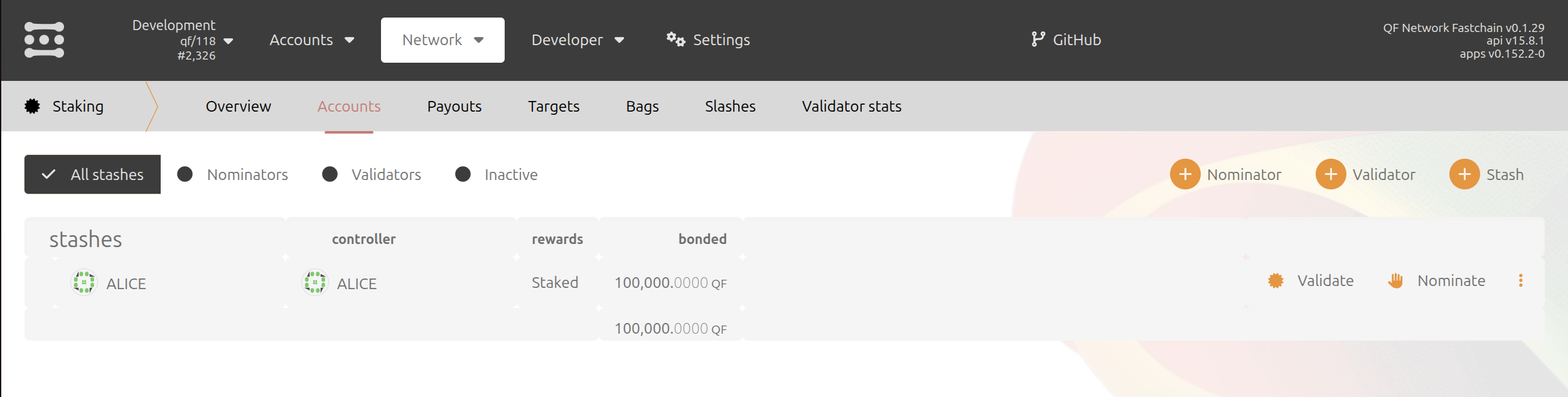
On this page you can review your staking accounts, create a new nominator setup, update nominations, and access reward payouts.
2) Bond your tokens
Section titled “2) Bond your tokens”-
Click + Nominator.
-
In the window that opens, enter the amount of QF you want to bond.
-
Choose the reward destination you want to use.
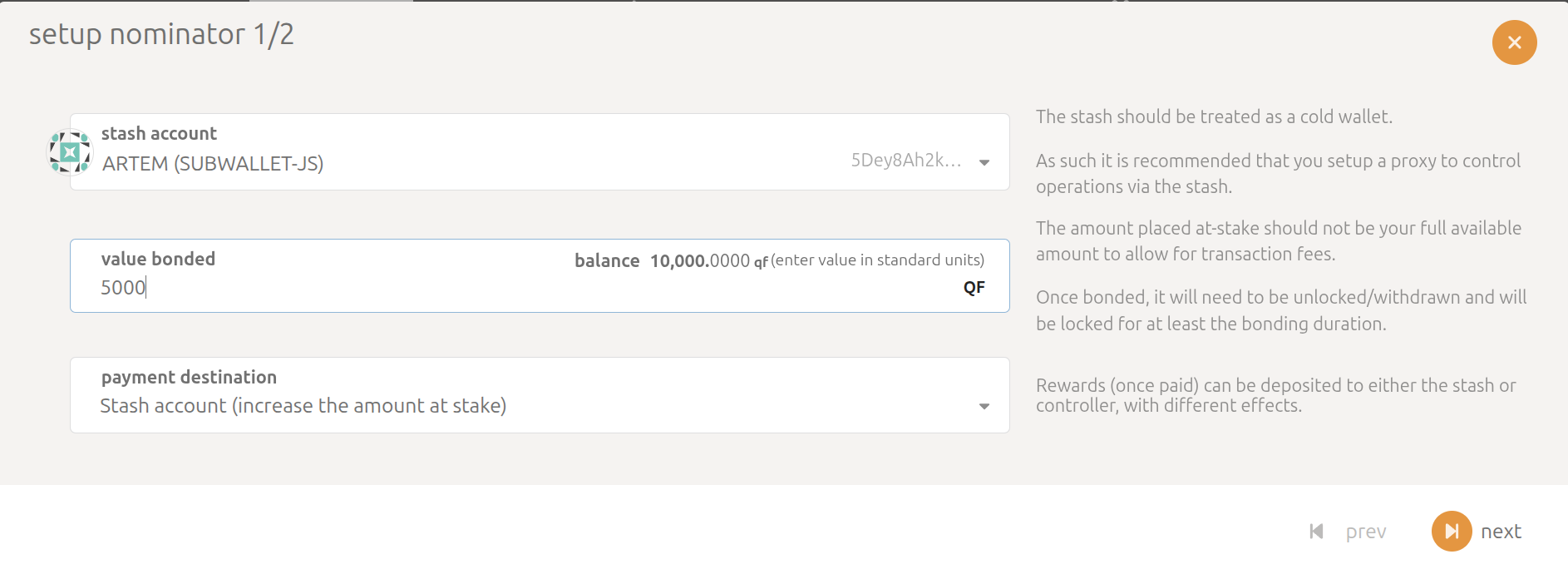
Use the form as follows:
| Field | What to enter |
|---|---|
| Value bonded | The amount of QF you want to lock for staking |
| Payment destination | Where staking rewards should be sent |
After the transaction is finalized, your account becomes bonded and can be used for nominating validators.
3) Nominate validators
Section titled “3) Nominate validators”-
In Account actions, find your bonded account.
-
Click Nominate.
-
Select the validators you want to support.
-
Confirm the selection and sign the transaction.

When choosing validators, review their identity, commission, current stake, and general activity before confirming your nomination. Your nominations usually become active after the next network election or staking period, depending on the current QF Network settings.
4) Claim staking rewards
Section titled “4) Claim staking rewards”- Open Staking -> Payouts.
- Review the list of pending rewards available for payout.
- Click Payout all or the equivalent payout action shown by the portal.
- Confirm the transaction in your wallet.
The portal shows pending rewards available for payout.
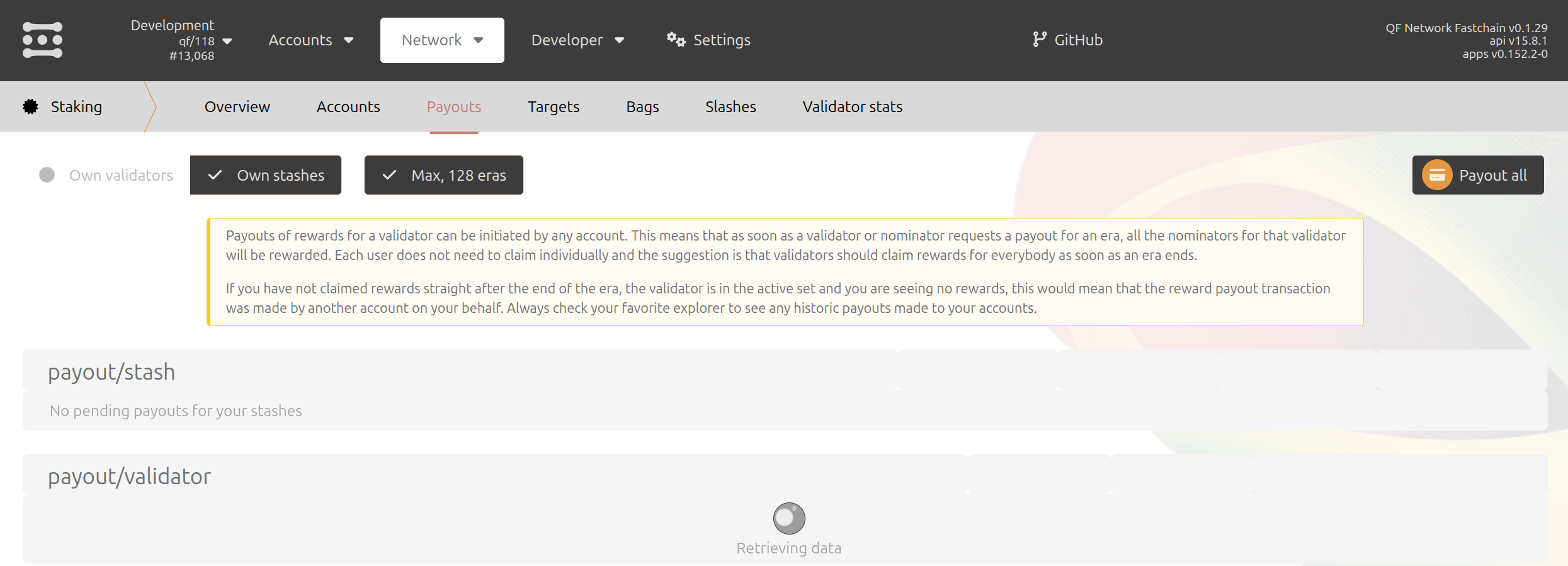
Select the payout action shown for your account.
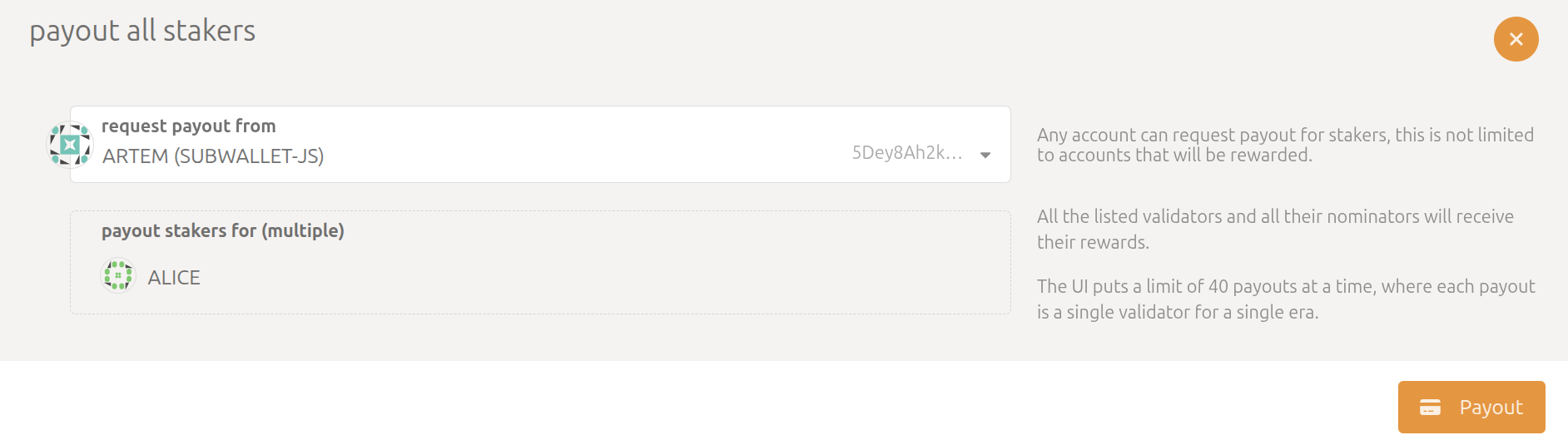
Then confirm the transaction in your wallet.
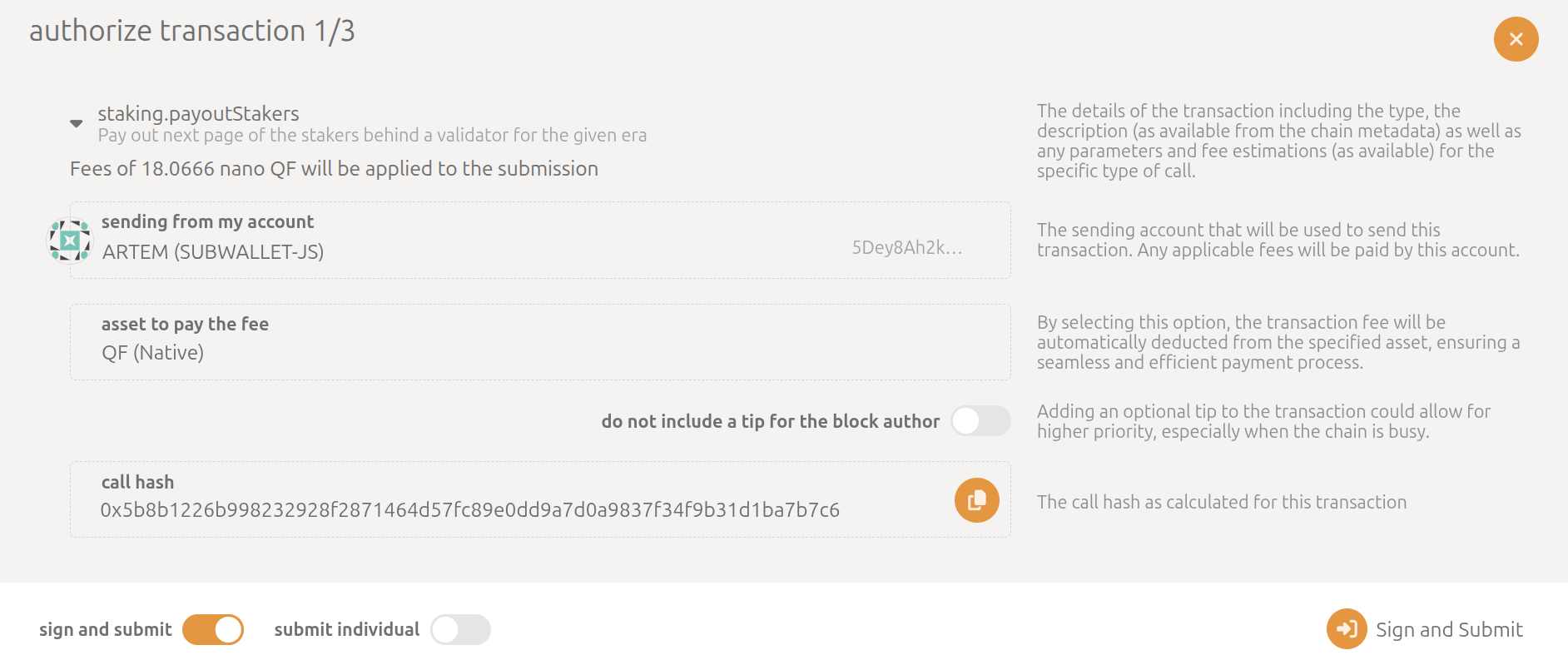
If the portal shows multiple pending payout eras or periods, the interface can batch them for you. After the payout transaction is finalized, the rewards will appear on the destination account you selected during bonding.
5) Stop nominating or update your validator set
Section titled “5) Stop nominating or update your validator set”-
Return to Staking -> Account actions.
-
Open the actions for the bonded account.
-
Stop nominating if you want to pause staking, or submit a new nomination set if you want to change validators.
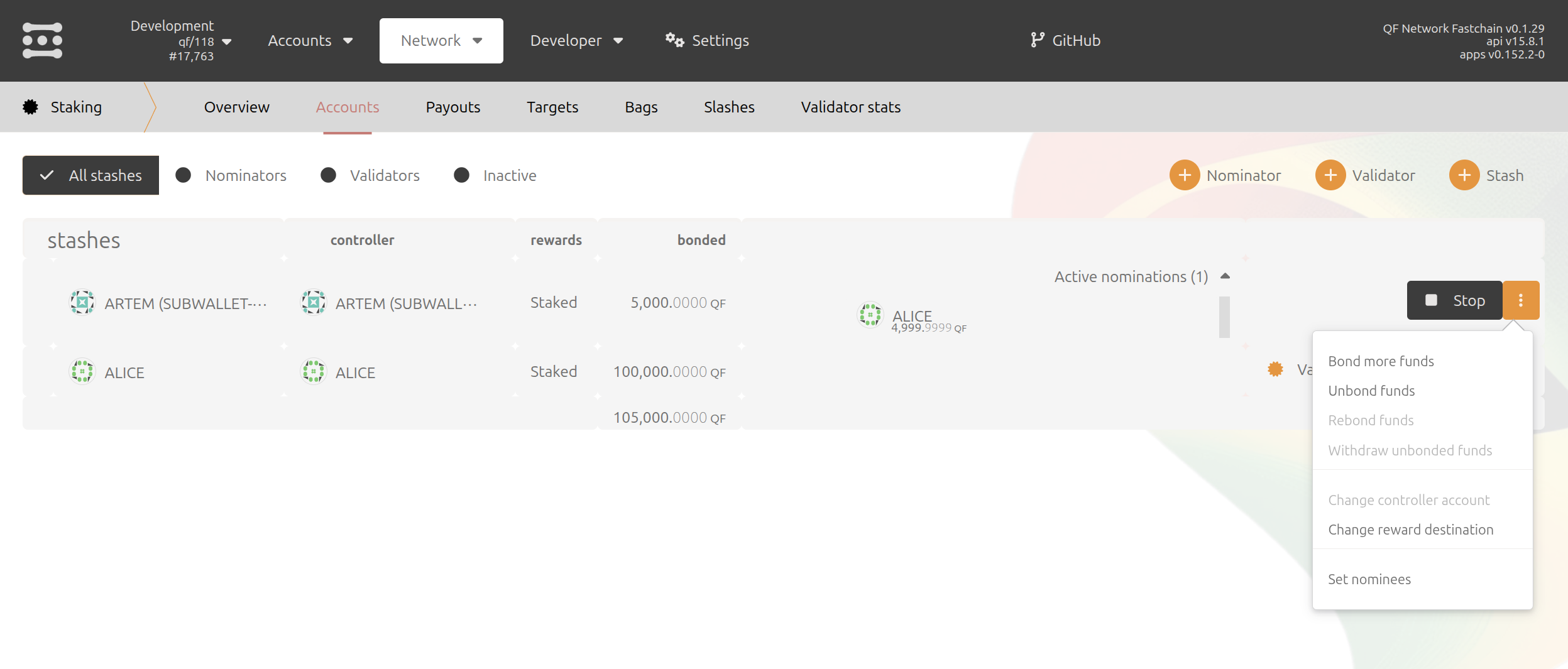
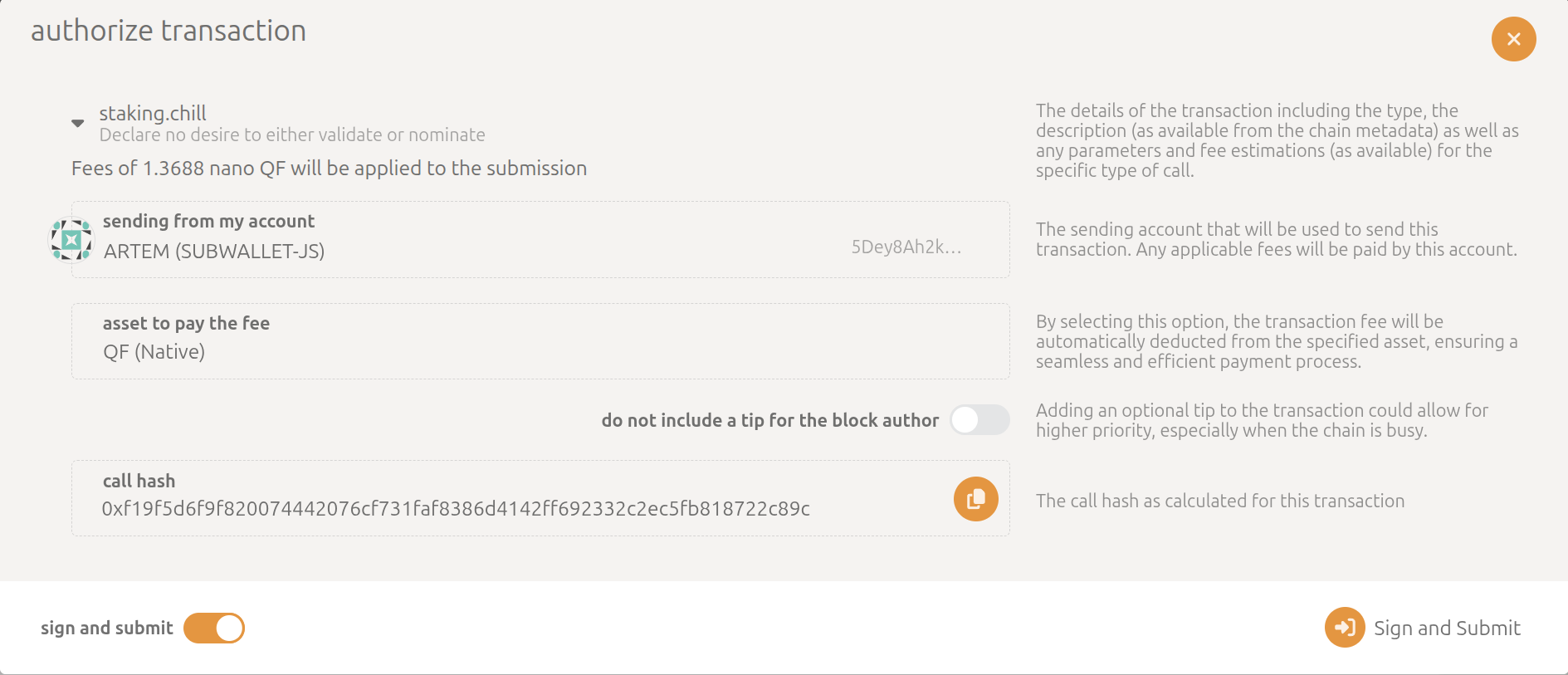
Stopping nominations does not automatically unlock bonded QF. If you later want to withdraw staked funds, you must unbond them first and wait for the network-specific unbonding period.
After the change is finalized, the account stops nominating but remains bonded until you explicitly unbond it.

Congratulations! You have completed the core nominator staking flow on QF Network using portal.qfnetwork.xyz.